Best Photocopier for Office Use in Pakistan (2026 Guide)
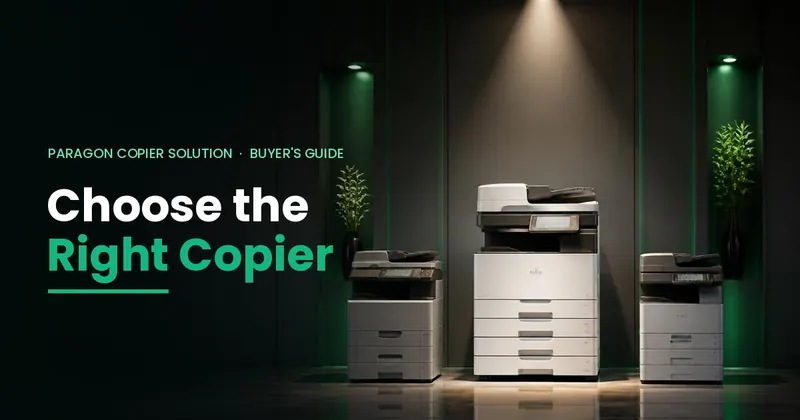
Short answer: for most offices in Pakistan the best photocopier is an A3 black & white multifunction machine (print, copy and scan) from the Ricoh MP 55 series (MP 2555, 3055, 3555, 4055, 5055, 6055) or the MP 54 series (MP 3054, 4054, 5054, 6054), sized to your monthly page count. They are reliable under heavy daily use, simple for staff, and their toner, parts and technicians are easy to find across Pakistan. If your office only needs fast printing and no copying or scanning, read our guide to the best printer for office use.
Below we explain how to choose, which photocopier fits which office, what it really costs to run, and whether to buy, rent or pay per copy. This guide is based on what we see every day while supplying and servicing office machines across Pakistan since 2009.
Photocopier or printer: which does your office actually need?
Many offices buy a printer when they need a photocopier, or the other way round. The difference is simple:
| Office printer | Multifunction photocopier (MFP) | |
|---|---|---|
| What it does | Prints from computers | Prints, copies, scans (to email/folder), sometimes fax |
| Paper size | Usually A4 only | A4 and A3 (and legal) |
| Best for | Departments that print reports, invoices and letters all day | Offices that also copy and scan documents, or need A3 |
| Size | Compact, sits on a desk or small stand | Floor-standing, needs its own space |
| Typical speed | 45–60 pages per minute | 25–60 pages per minute |
If your staff mainly print and rarely copy or scan, a fast printer is cheaper and smaller. If your office handles files, contracts, cheques, ID copies or A3 drawings, a multifunction photocopier is the better buy. For print-only departments, see the best printer for office use.
How many pages do you print each month?
Monthly volume is the single most important number. A machine that is too small wears out early and breaks down often; a machine that is too big wastes money. This is the rule of thumb we use:
| Pages per month | Recommended speed | Typical choice |
|---|---|---|
| Up to 5,000 | 20–25 ppm | Ricoh MP 2555, Ricoh IM 2702 (B&W) or Ricoh IM C2010 (colour) |
| 5,000 – 20,000 | 30–45 ppm | Ricoh MP 3055 / MP 3555 / MP 4055, or MP 3054 / MP 4054 |
| 20,000+ | 50–60 ppm | Ricoh MP 5055 / MP 6055, or MP 5054 / MP 6054 — or two machines shared across departments |
Not sure of your volume? Check the counter on your current machine, or ask us — we read it during a free site visit.
What is the best photocopier for office use? Our pick: Ricoh MP 55 and MP 54 series
For most offices in Pakistan, the photocopiers we recommend first are the Ricoh MP 55 series and MP 54 series. They are proven workhorses: reliable under heavy daily use, simple for staff to operate, and their toner, parts and trained technicians are easy to find across the country. Both series are black & white A3 multifunction machines that print, copy and scan (scan to email and folder), with automatic duplex printing, 2 GB memory and a 320 GB hard disk. Fax is optional.
| Model | Speed (A4) | Document feeder | Toner yield |
|---|---|---|---|
| Ricoh MP 2555 | 25 ppm | ARDF or single-pass SPDF | 24,000 pages |
| Ricoh MP 3055 | 30 ppm | ARDF or single-pass SPDF | 24,000 pages |
| Ricoh MP 3555 | 35 ppm | ARDF or single-pass SPDF | 24,000 pages |
| Ricoh MP 4055 | 40 ppm | ARDF or single-pass SPDF | 37,000 pages |
| Ricoh MP 5055 | 50 ppm | ARDF or single-pass SPDF | 37,000 pages |
| Ricoh MP 6055 | 60 ppm | ARDF or single-pass SPDF | 37,000 pages |
| Ricoh MP 3054 | 30 ppm | 100-sheet ARDF | — |
| Ricoh MP 4054 | 40 ppm | 220-sheet single-pass SPDF | — |
| Ricoh MP 5054 | 50 ppm | 220-sheet single-pass SPDF | — |
| Ricoh MP 6054 | 60 ppm | 220-sheet single-pass SPDF | — |
- MP 55 series: large 10.1-inch Smart Operation Panel (works like a tablet), first copy in 2.9–4.6 seconds, 1,200 sheets standard (up to 4,700). The single-pass feeder scans both sides at once at up to 180 images per minute.
- MP 54 series: 9-inch touch panel as standard (10.1-inch Smart Operation Panel optional), 1,200 sheets standard (up to 4,700). The MP 4054, 5054 and 6054 come with a single-pass feeder that scans up to 180 images per minute.
Specifications from Ricoh brochures. Toner yield is Ricoh's figure at 6% page coverage.
Both series are available as tested refurbished machines to buy or on monthly rental, which keeps the cost well below a brand-new machine. If you want the newest model, the Ricoh IM series (for example IM 2702, IM C2010) is available new.
Not a Ricoh office? We also supply and service Kyocera and Konica Minolta. Each brand has a different strength:
| Brand | Strength | Best for |
|---|---|---|
| Ricoh (IM series, MP series) | Reliable, easy to use, parts and toner widely available | Most offices; mixed printing, copying and scanning |
| Kyocera (TASKalfa) | Long-life components and low running cost | High black & white volume where cost per page matters most |
| Konica Minolta (bizhub) | Strong colour output and finishing options | Marketing material, schools and offices that print in colour |
For a detailed brand comparison read Ricoh vs Kyocera vs Konica Minolta. For offices with fewer than 20 people, see our best photocopier for a small office guide.
A3 or A4: which size should you choose?
An A4 machine handles letters, invoices and most office documents. Choose A3 if you print or copy drawings, spreadsheets, notices, legal documents or booklets — or if you are not sure, because an A3 machine also prints A4. Most offices in Pakistan choose an A3 multifunction photocopier as their main machine and add a fast A4 printer for departments that print a lot (see best printer for office use).
Black & white or colour?
Colour pages cost several times more than black & white pages. Unless your office prints brochures, presentations or colour reports regularly, a black & white machine is the better choice. Many of our clients keep one colour machine for the whole office and use black & white machines for daily work.
Which features matter in an office machine?
- Duplex (double-sided) printing — halves paper use.
- Automatic document feeder — copies and scans a stack of pages in one go; a single-pass feeder scans both sides at once.
- Scan to email and scan to folder — saves time and paper.
- Network printing — everyone in the office prints to one machine.
- PIN or card login and Follow-Me printing — confidential documents stay in the queue until the employee releases them at any machine. See Follow-Me printing.
- Paper capacity — larger trays mean fewer refills in busy offices.
What does an office photocopier really cost to run?
The purchase price is only part of the cost. Over three to five years, toner, drums, parts and service often cost more than the machine itself. When you compare machines, ask for:
- the cost per black & white page and per colour page,
- toner yield (how many pages one cartridge prints),
- drum life and what it costs to replace,
- how quickly a technician reaches you, and whether a maintenance contract is available.
This is why a machine with high-yield toner (24,000–37,000 pages on the Ricoh MP 55 series) and long-life parts saves money for busy offices. Our annual maintenance contracts keep running costs predictable.
Should you buy, rent or pay per copy?
| Option | Typical cost | Best for |
|---|---|---|
| Buy new | PKR 450,000 – 1,800,000 (A3) | Offices that print a lot and want the latest model for 4–5 years |
| Buy refurbished | PKR 120,000 – 400,000 (A3) | Small and medium offices with a fixed budget |
| Monthly rental | PKR 10,000 – 30,000 per month | No upfront cost; refurbished machine, toner, parts and service included; 1-year minimum contract |
| Per-copy plan | From Rs 1.50 per copy | Offices whose print volume changes from month to month |
See the full photocopier price list, copier rentals and the per-copy plan. Multi-branch offices can put every machine under one contract with managed print services.
5 mistakes to avoid when choosing an office machine
- Buying on price alone. A cheap machine with expensive toner costs more in the long run.
- Choosing a machine that is too small. Running a 20 ppm machine at 20,000 pages a month means frequent breakdowns.
- Ignoring parts and service. Choose a brand whose parts and technicians are available in your city.
- Paying for colour you do not use. Colour machines cost more to buy and to run.
- Skipping scanning and network setup. It should be part of installation, not an extra charge.
Frequently Asked Questions
Which is the best photocopier for office use in Pakistan?
For most offices we recommend the Ricoh MP 55 series (MP 2555, 3055, 3555, 4055, 5055, 6055) or MP 54 series (MP 3054, 4054, 5054, 6054): reliable A3 multifunction machines that print, copy and scan, with parts and toner easy to find in Pakistan. Choose the speed that matches your monthly page count.
Which Ricoh photocopier is best for a busy office?
For 20,000 or more pages a month choose a 50–60 ppm machine such as the Ricoh MP 5055 / MP 6055 or MP 5054 / MP 6054, ideally with the single-pass document feeder that scans both sides at once. For 5,000–20,000 pages a month, the MP 3055 / MP 3555 / MP 4055 or MP 3054 / MP 4054 is enough.
Should I buy a photocopier or a printer for my office?
Choose a multifunction photocopier if your staff also copy and scan documents or need A3. If a department only prints, a fast A4 laser printer such as the Ricoh P 800 / P 801 is cheaper and smaller.
How fast should an office photocopier be?
About 20–25 pages per minute for up to 5,000 pages a month, 30–45 ppm for 5,000–20,000 pages, and 50–70 ppm above 20,000 pages a month.
Is it better to buy or rent an office photocopier?
Buy if you print steadily and want to own the machine for 4–5 years. Rent if you want no upfront cost and one monthly bill with toner, parts and service included. Our rental machines are refurbished and the minimum contract is 1 year.
Do you deliver and install machines outside Karachi?
Yes. We supply, install and service machines across Pakistan from 20+ service hubs, including Lahore, Islamabad, Rawalpindi, Faisalabad, Multan, Hyderabad, Peshawar and Quetta.