Best Printer for Office Use in Pakistan (2026 Guide)
Short answer: for most offices in Pakistan the best printer is a fast black & white A4 laser printer with high-capacity toner. Our first pick is the Ricoh P 800 / P 801: 55–60 pages per minute, a toner cartridge rated at 25,500 pages (40,000 with the P 801 high-yield cartridge), long-life parts and a compact body. The Kyocera ECOSYS P3145dn and P3155dn are excellent alternatives, with a long-life drum and developer rated for 300,000 and 500,000 pages. If your office also needs copying and scanning, choose a multifunction photocopier instead — see the best photocopier for office use.
This guide explains what makes a printer right for office use, compares the four models we recommend, and shows how to keep the cost per page low — whether you buy or rent.
What makes a printer good for office use?
- Speed: 45–60 pages per minute so print queues never build up.
- High-yield toner: a cartridge that prints 12,500–40,000 pages means fewer changes and a lower cost per page.
- Long-life parts: printers built for offices last for hundreds of thousands of pages; small home printers do not.
- Automatic duplex: double-sided printing halves paper use.
- Network connection: the whole department prints to one machine.
- Paper capacity: 500–600 sheets as standard, with extra trays for busy offices.
How many pages does your office print each month?
| Pages per month | Printer speed | Our recommendation |
|---|---|---|
| Up to 5,000 | 35–45 ppm | Kyocera ECOSYS P3145dn |
| 5,000 – 15,000 | 45–55 ppm | Kyocera ECOSYS P3145dn / P3155dn or Ricoh P 800 |
| 15,000+ | 55–60 ppm | Ricoh P 800 / P 801 or Kyocera ECOSYS P3155dn |
| Need copying and scanning too | — | An A3 multifunction photocopier such as the Ricoh MP 55 series |
Best printer for office use: Ricoh P 800 / P 801
The Ricoh P 800 and P 801 are the printers we recommend most often for busy departments — accounts, HR, admin and banks that print reports, invoices and letters all day.
- Fast: the P 800 prints 55 pages per minute and the P 801 prints 60 pages per minute (A4), with the first page out in about 6 seconds.
- High-capacity toner: the standard cartridge is rated at 25,500 pages (ISO), and the P 801 also takes a high-yield cartridge of 40,000 pages.
- Long-life parts: built for heavy daily use, so you are not replacing small consumables every few months.
- Compact: about 42 x 41 cm and 18 kg — it fits on a desk or small stand.
- Office-ready: 500-sheet tray plus 100-sheet bypass (up to 2,600 sheets with extra trays), gigabit network, 2 GB memory; Wi-Fi is optional.
Also recommended: Kyocera ECOSYS P3145dn and P3155dn
Kyocera ECOSYS printers use a long-life drum and developer that are not replaced with every toner. Kyocera rates them for up to 300,000 pages on the P3145dn and 500,000 pages on the P3155dn, which keeps the cost per page very low.
- ECOSYS P3145dn: 45 pages per minute (A4), toner rated at 12,500 pages — ideal for medium-volume departments.
- ECOSYS P3155dn: 55 pages per minute (A4), toner options up to 25,000 pages — for busy departments that print all day.
- Both print double-sided automatically, hold 600 sheets as standard (up to 2,600) and connect to the office network; Wi-Fi is optional.
Office printer comparison
| Printer | Speed (A4) | Toner yield | Drum / parts | Best for |
|---|---|---|---|---|
| Ricoh P 800 | 55 ppm | 25,500 pages | Long-life parts | Busy departments |
| Ricoh P 801 | 60 ppm | 25,500 or 40,000 pages (high yield) | Long-life parts | Heaviest daily printing |
| Kyocera ECOSYS P3145dn | 45 ppm | 12,500 pages | Drum & developer rated 300,000 pages | Medium-volume departments |
| Kyocera ECOSYS P3155dn | 55 ppm | up to 25,000 pages | Drum & developer rated 500,000 pages | Busy departments, low cost per page |
Specifications from the manufacturers' brochures; toner yields are ISO/IEC 19752 figures and real yield depends on how much is printed on each page.
Black & white or colour printer?
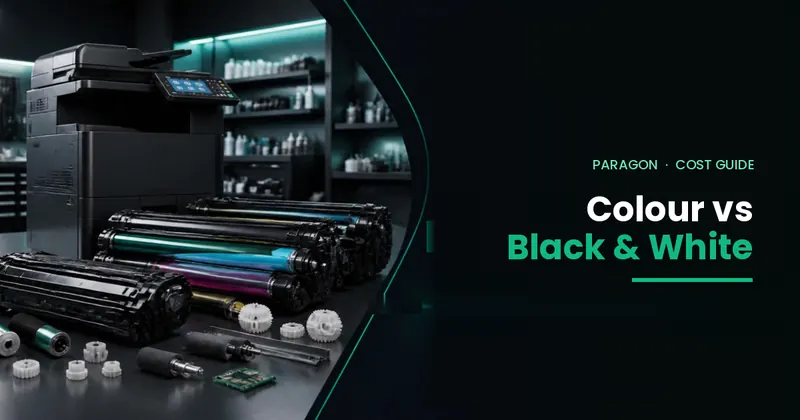
Colour pages cost several times more than black & white pages. Most office printing — invoices, letters, reports, statements — is black & white, so a mono laser printer is the right choice for daily work. If you need colour for presentations or marketing, keep one colour multifunction machine for the whole office and use black & white printers in each department.
Printer or photocopier: which does your office need?
A printer only prints, usually on A4. A multifunction photocopier also copies and scans (to email and folders) and handles A3. If your staff copy cheques, ID cards and contracts or scan files every day, a photocopier is the better buy. Many offices use both: one A3 multifunction machine for copying and scanning, and fast A4 printers in busy departments. Read photocopier vs laser printer for office and best photocopier for office use.
How to keep the cost per page low
- Choose a printer whose speed matches your volume — a small printer worked too hard wears out early.
- Use high-yield toner where available (for example the 40,000-page cartridge on the P 801).
- Turn on double-sided printing as the default.
- Print to one shared network printer instead of many desktop printers.
- Use secure Follow-Me printing so forgotten and duplicate prints are not wasted.
Buy or rent an office printer?
You can buy these printers or rent them. Office laser printers cost about PKR 30,000 – 250,000 to buy, depending on model and new or refurbished condition (see printer price in Pakistan). Printer rent at Paragon is usually PKR 5,000 – 10,000 per month, with toner, parts and service included; rental printers are tested refurbished machines on a 1-year minimum contract. Renting suits offices that want no upfront cost and one fixed monthly bill. See printer on rent in Pakistan and printers on rent. If you already own printers, an annual maintenance contract keeps them running.
5 mistakes to avoid when choosing an office printer
- Buying a home printer for office work. Small inkjet and desktop printers are not built for thousands of pages a month.
- Ignoring toner yield. A cheap printer with a small cartridge costs more per page.
- Choosing a printer that is too slow. Queues waste staff time and the printer wears out faster.
- Buying colour when you print in black & white. Colour printers cost more to buy and run.
- Forgetting service. Make sure toner, parts and a technician are available in your city.
Frequently Asked Questions
Which is the best printer for office use in Pakistan?
For fast black and white A4 printing we recommend the Ricoh P 800 (55 ppm) and P 801 (60 ppm): a toner cartridge rated at 25,500 pages (40,000 with the P 801 high-yield cartridge), long-life parts and a compact, durable design. The Kyocera ECOSYS P3145dn (45 ppm) and P3155dn (55 ppm) are excellent alternatives.
Which Kyocera printer is best for office use?
The Kyocera ECOSYS P3145dn (45 ppm, 12,500-page toner) suits medium-volume departments, and the ECOSYS P3155dn (55 ppm, toner up to 25,000 pages) suits busy departments. Both have a long-life drum and developer rated for 300,000 and 500,000 pages.
Laser or inkjet printer for office?
For office work, a black and white laser printer is the better choice: it is faster, its toner prints far more pages than ink, and the cost per page is lower.
How much does it cost to rent an office printer?
Printer rent at Paragon Copier Solution is usually PKR 5,000 to 10,000 per month, with toner, parts and service included. Rental printers are tested refurbished machines on a 1-year minimum contract.
Should my office buy a printer or a photocopier?
Buy a multifunction photocopier if your staff also copy and scan documents or need A3. If a department only prints, a fast A4 laser printer such as the Ricoh P 800 / P 801 is cheaper and smaller.
Do you supply and service office printers outside Karachi?
Yes. Printers are supplied, installed and serviced across Pakistan from 20+ service hubs, including Lahore, Islamabad, Rawalpindi, Faisalabad, Multan, Hyderabad, Peshawar and Quetta.