5 Signs Your Office Photocopier Needs Repair or Replacement
Published by the Paragon Copier Solution team, Karachi · Last updated 30 September 2026
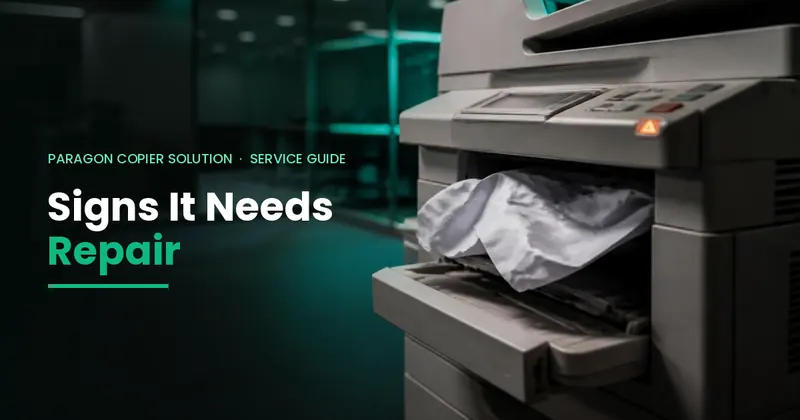
Short answer: Your photocopier needs repair if you see frequent jams, lines or faded prints, grinding noises, repeated SC error codes or it becomes slow. Replace it instead if repairs keep coming back, parts are hard to find, or the yearly repair cost approaches a big share of a replacement's price.
A photocopier that keeps breaking down does more than frustrate your staff, it slows the whole office down. Knowing the early warning signs can help you decide whether a quick repair will fix the problem or whether it is time to consider a replacement or upgrade.
1. Frequent Paper Jams
Occasional jams are normal, but if your photocopier is jamming several times a day despite proper paper loading, worn rollers or internal components are often the cause. Persistent jamming is one of the clearest signs that a service visit is overdue.
2. Declining Print and Copy Quality
Streaks, faded text, spots, or uneven toner coverage usually point to worn drums, dirty rollers or a toner unit nearing the end of its life. If cleaning and toner replacement do not resolve it, a technician should inspect the machine before quality issues affect client-facing documents.
3. Unusual Noises or Slower Speeds
Grinding, clicking or rattling sounds during operation often indicate mechanical wear. Combined with slower print speeds than the machine's rated output, this is a sign that internal parts may need servicing or replacement before a bigger breakdown occurs.
4. Rising Repair Costs
If you are calling for service more often and repair costs are creeping up month after month, it may be more economical to switch to a rental plan or a newer refurbished machine rather than continuing to invest in an aging unit.
5. The Machine Can't Keep Up With Your Office
As a business grows, its printing needs grow too. If staff are regularly queuing for the photocopier or it cannot handle your current paper volume, it may be time to upgrade to a higher-capacity model rather than keep repairing an undersized machine.
Repair or replace? A quick guide
| Situation | Usually best |
|---|---|
| One-off fault on a machine under 5 years old | Repair |
| Jams or lines caused by worn rollers, drum or developer | Repair — replace the worn part |
| Same SC error code keeps returning after repairs | Get a full inspection; consider replacing |
| Parts no longer available for the model | Replace |
| Yearly repair bills are high and rising | Replace (compare with rental or per-copy) |
| Office volume has grown beyond the machine's speed | Replace with a faster model |
Common warning signs and what they usually mean
| What you see | Likely cause |
|---|---|
| Paper jams in the same place | Worn feed or registration rollers, damp paper |
| Black lines on copies only | Dirty scanner glass or scanning strip |
| Lines or marks on prints and copies | Drum, charge or developer wear |
| Faded or patchy prints | Low toner, developer or transfer problem |
| Smudging that rubs off | Fusing unit problem |
| Grinding or squeaking noise | Worn gears, bearings or fusing parts |
| SC error code on the screen | A part has failed — see our SC code guides |
Check the code on your screen in our Ricoh SC error codes list (MP series) or the Ricoh IM 550 / IM 600 SC codes. Many small problems can be prevented with our maintenance checklist.
Before you call a technician
- Note the full error code or take a photo of the screen.
- Print a test copy to show the quality problem.
- Check paper (dry, correct size setting) and toner level.
- Restart the machine once — not repeatedly.
Need help? See photocopier repair services in Karachi or an annual maintenance contract.
Frequently Asked Questions
How do I know if my photocopier needs repair?
Frequent jams, lines or faded prints, unusual noises, slow operation and repeated SC error codes are the most common signs.
Is it worth repairing an old photocopier?
It is usually worth repairing a one-off fault. If repairs keep returning, parts are hard to find or yearly repair costs keep rising, replacing it is often better.
Why does my copier keep jamming?
Worn rollers, damp or curled paper, wrong paper size settings and overfilled trays are the most common causes.
How fast can a technician come in Karachi?
Paragon Copier Solution's complaint resolution time in Karachi is under 3 hours.
How Paragon Copier Solution Can Help
With 15+ years of industry experience and more than 2000 machines deployed across Pakistan, our technical team provides fast, reliable photocopier repair and maintenance services, along with rental and sales options if a replacement makes more sense for your office.