Ricoh IM 550 / IM 600 SC Error Codes and How to Fix Them
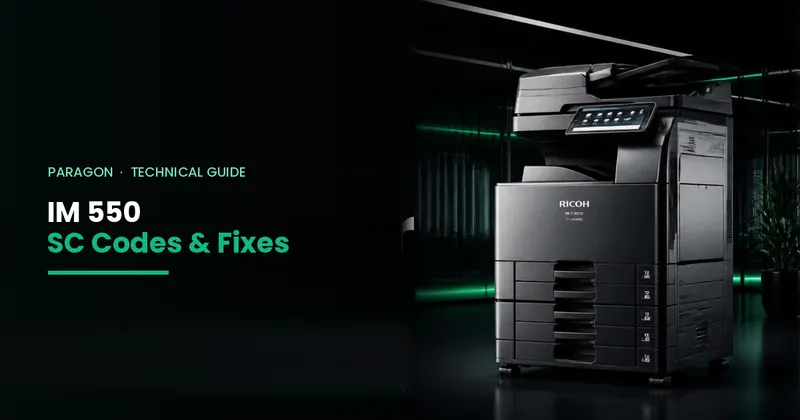
Short answer: On the Ricoh IM 550F / IM 600F / IM 600SRF, an SC code shows which part has a fault: SC1xx scanner, SC2xx laser, SC3xx–4xx drum and developer, SC5xx paper feed and fusing, SC6xx communication, SC8xx controller/HDD. Many codes clear with one power off/on. Fusing codes SC541–SC553 and repeated codes need a technician.
Which machines this list covers
The Ricoh IM 550F, IM 600F and IM 600SRF are A4 black & white multifunction copiers (55–60 pages per minute). The P 800 and P 801 printers use the same engine, so most engine codes (SC2xx to SC9xx) are the same on them.
Before you start: safety rules
- Never touch the fusing unit — it can be hotter than 200°C.
- Do not open covers with screws. There is high voltage and a laser inside.
- Restart only once or twice. If the same code keeps coming back, stop and call a technician.
- Note the full code including the last digits (for example SC541-00) and send it to your technician.
How SC codes work on the IM 550 / IM 600
- Type A: safety-related. The machine stops and only a technician can reset it.
- Type B: one function stops (for example the finisher or HDD). A power off/on usually clears it.
- Type C: nothing is shown; the error is only saved in the machine's log.
- Type D: the machine stops and shows the code. On these models it may restart automatically once. If the same code appears twice in a row, it stays on screen — that means a real fault.
SC1xx — Scanner (IM 550F / IM 600F / IM 600SRF)
These appear on the copier models with a scanner. The P 800 / P 801 printers have no scanner, so they do not show SC1xx codes.
| Code | What it means | What you can do |
|---|---|---|
| SC101 / SC102 | Front-side scanner LED did not light correctly or its brightness is wrong. | Turn the main power off and on once. If it returns, the LED unit, its cable or the scanner board needs checking — call a technician. |
| SC111 / SC112 | Back-side (duplex scanning) LED error in the single-pass feeder. | Turn the main power off and on once. If it returns, call a technician. |
| SC120 | Scanner carriage cannot find its home position. | On a new or moved machine, check the scanner shipping lock is released. Then turn the main power off and on once. If it continues, call a technician. |
| SC141 / SC142 | Black or white level reading error while scanning. | Clean the scanner glass and the narrow scanning strip. Turn the main power off and on once. If it continues, call a technician. |
| SC144 / SC154 / SC161 | Communication error with the scanner board (front, back side or FPGA). | Turn the main power off and on once. Repeated = loose cable or board — call a technician. |
| SC151 / SC152 | Back-side black or white level error. | Clean the feeder's scanning glass. Turn the main power off and on once. If it repeats, call a technician. |
| SC195 | Machine serial number mismatch, usually after a board change. | Not a user fault — call a technician. |
SC2xx — Laser (image writing)
| Code | What it means | What you can do |
|---|---|---|
| SC202 | Polygon mirror motor in the laser unit is not working correctly. | Turn the main power off and on once. If it comes back, the laser unit or its connector needs attention — call a technician. |
| SC220 | Laser synchronisation signal not detected. | Turn the main power off and on once. Repeated = laser unit or cable — call a technician. |
| SC270 | Communication error with the laser drive board. | Turn the main power off and on once. If it repeats, call a technician. |
SC3xx and SC4xx — Drum, charge and developer
The IM 550 / IM 600 has a separate drum unit and development unit. Many of these codes are caused by a unit not seated properly or a wrong unit fitted.
| Code | What it means | What you can do |
|---|---|---|
| SC302 / SC303 | Charge current is too low (drum unit charge problem). | Open the front cover and check the drum unit is pushed in fully and locked. Turn the main power off and on once. Repeated = drum unit, power pack or connector — call a technician. |
| SC321 / SC322 | Development unit not detected, or toner density sensor reading too low. | Check the development unit is installed and fully seated. Turn the main power off and on once. If it repeats, call a technician. |
| SC396 | Drum motor error. | Turn the main power off and on once. Repeated = drum unit load, motor or board — call a technician. |
| SC490 | Toner density sensor reading too high. | Turn the main power off and on once. If it repeats, the developer, toner motor or sensor needs checking — call a technician. |
| SC491 | Drum unit type mismatch — the machine cannot read the drum unit chip or an incompatible drum unit is fitted. | Make sure the drum unit is the correct part for your model and is fully seated. If you recently changed the drum unit, check the part number. Otherwise call a technician. |
SC5xx — Paper feed and fusing
Fusing codes (SC541–SC553) mean the fusing unit is not heating correctly or has overheated. The fusing unit can be hotter than 200°C — never touch it.
| Code | What it means | What you can do |
|---|---|---|
| SC501 – SC505 | Paper tray 1, 2, 3, 4 or 5 lift motor error — the tray did not lift. | Pull out the tray, remove extra or crooked paper, check nothing is under the tray plate, push it in firmly, then turn the main power off and on once. Repeated = lift motor or sensor — call a technician. |
| SC520 | Main motor did not reach normal speed. | Turn the main power off and on once. If it repeats, the main motor or its board needs service (sometimes a firmware update) — call a technician. |
| SC540 | Fusing pressure release motor error. | Turn the main power off and on once. Repeated = motor, gears or connector — call a technician. |
| SC541 / SC551 | Fusing thermistor (centre / end) disconnected. | Switch off and call a technician. Do not keep restarting — the machine cannot control fusing temperature correctly. |
| SC543 / SC553 | Fusing unit overheated (centre / end). | Switch off immediately and call a technician. This is an overheating protection — the fusing unit, heater control or sensor must be checked before use. |
| SC547 | Zero-cross signal error (power supply / fusing control). | Check the machine is on a stable power supply, not an overloaded extension board. Turn the main power off and on once. Repeated = power supply unit or fusing unit — call a technician. |
| SC549 | Fusing lamp does not heat up (did not reach working temperature during warm-up). | Often a failed fusing lamp or fusing unit. Restart once; if it returns, call a technician. |
| SC581 / SC582 / SC584 | Machine temperature sensor error. The machine keeps working. | No urgent action; mention it at the next service visit. |
SC6xx — Communication and boards
| Code | What it means | What you can do |
|---|---|---|
| SC622 | Communication error with the optional paper feed unit (tray 2). | Check the optional paper tray is fitted properly under the machine. Turn the main power off and on once. |
| SC665 / SC667 / SC668 | Internal board connection or start-up error (BiCU / IOB). | Turn the main power off and on once. If it repeats, call a technician. |
| SC669 / SC689 / SC690 | EEPROM (settings memory) communication or data error. | Turn the main power off and on once. If it repeats, call a technician. |
| SC670 | Engine did not start up. | Turn the main power off and on once. If it continues, call a technician. |
| SC672 | Controller start-up error — the controller and operation panel cannot connect. | Wait a minute, then turn the main power off and on once. If it continues, the panel cable or controller board needs checking — call a technician. |
| SC687 / SC691 | Engine timing or image processing error. | Turn the main power off and on once. If it repeats, call a technician. |
SC7xx — Finisher (IM 600SRF)
| Code | What it means | What you can do |
|---|---|---|
| SC724 | Internal finisher protection (fuse) error. | Clear any paper in the finisher. Turn the main power off and on once. If it returns, call a technician. |
SC8xx — Controller, HDD, SD card, network
| Code | What it means | What you can do |
|---|---|---|
| SC816 / SC819 | Controller software error (energy-save subsystem or kernel halt). | Turn the main power off and on once. If it keeps coming back, a firmware update may be needed — call a technician. |
| SC840 / SC841 / SC842 | EEPROM or flash memory access / update error. | Call a technician. |
| SC855 / SC857 | Wireless LAN board or USB interface error. | Turn the main power off and on once. Repeated = board — call a technician. |
| SC860 – SC865 | Hard disk start-up, read or access error. | Turn the main power off and on once. Repeated HDD errors can mean the disk is failing — call a technician. Back up your address book if possible. |
| SC866 / SC867 / SC868 | SD card authentication, removed or access error. | Do not remove SD cards from the machine. Turn the main power off and on once. If it continues, call a technician. |
| SC871 | Fax board (FCU) error. | Turn the main power off and on once. If it repeats, call a technician. |
| SC877 / SC878 | Data security (overwrite card) or TPM authentication error. | Call a technician. |
| SC899 | Software performance error. | Turn the main power off and on once. Repeated = firmware update may be needed — call a technician. |
SC9xx — Other
| Code | What it means | What you can do |
|---|---|---|
| SC920 / SC921 | Printer function error (memory or resident font not available). | Turn the main power off and on once. If it repeats, call a technician. |
| SC940 | Over-current on the optional counter / key-card interface. | If you use a key counter or card reader, it or its cable may be shorted. Call a technician. |
| SC990 / SC992 / SC997 / SC998 | Software or application start error. | Turn the main power off and on once. If it repeats, note what you were doing and call a technician. |
| SC991 / SC994 | Recoverable software error. The machine keeps working. | No action needed unless it becomes frequent. |
| SC995 | Machine configuration (serial / CPM) setting error. | Call a technician. |
Need a Ricoh IM 550 / IM 600 technician?
Send the full SC code and your model on WhatsApp 0307-0226010. Our technicians service Ricoh IM and MP series machines in Karachi, with complaint resolution under 3 hours. See photocopier repair services and AMC plans. For older MP models, see our Ricoh MP 2555–6055 SC code list.
Code meanings are based on Ricoh's field service documentation for the IM 550F / 600F / 600SRF and P 800 / 801 (machine codes D0BT, D0BV, D0BW, M0CG, M0CH), explained in plain language by Paragon's technicians. Sub-codes and details can differ by firmware version.
Frequently Asked Questions
What does an SC code mean on the Ricoh IM 550?
An SC (service call) code means the IM 550 found a hardware or software fault. SC1xx is the scanner, SC2xx the laser, SC3xx–SC4xx drum and developer, SC5xx paper feed and fusing, SC6xx communication, SC7xx finisher, SC8xx controller and HDD, SC9xx software.
What is SC491 on a Ricoh IM 550 or IM 600?
SC491 means the machine cannot read the drum unit correctly or an incompatible drum unit is installed. Check the drum unit is the correct part for your model and fully seated; if the code stays, call a technician.
What is SC549 on the Ricoh IM 550?
SC549 means the fusing lamp did not heat up to working temperature during warm-up. It is often a failed fusing lamp or fusing unit. Restart once; if it returns, call a technician.
What is SC541 on a Ricoh IM 600?
SC541 means the fusing thermistor (temperature sensor) at the centre of the fusing unit is disconnected or not reading. Switch the machine off and call a technician; do not keep restarting.
How do I fix SC501 or SC502 on the IM 550?
The paper tray did not lift. Pull out the tray, remove extra or crooked paper, check nothing is under the tray plate, push it in firmly and restart. If it repeats, the tray lift motor or sensor needs service.
Why does my Ricoh IM 550 restart by itself with an SC code?
On these models many type D SC codes trigger one automatic restart. If the same code appears again right after, the machine stops restarting and shows the code — that means a real fault that needs a technician.