Ricoh Error Code SPDF-3 and SPDF-4 (SC702-03 / SC702-04): Meaning and Fix
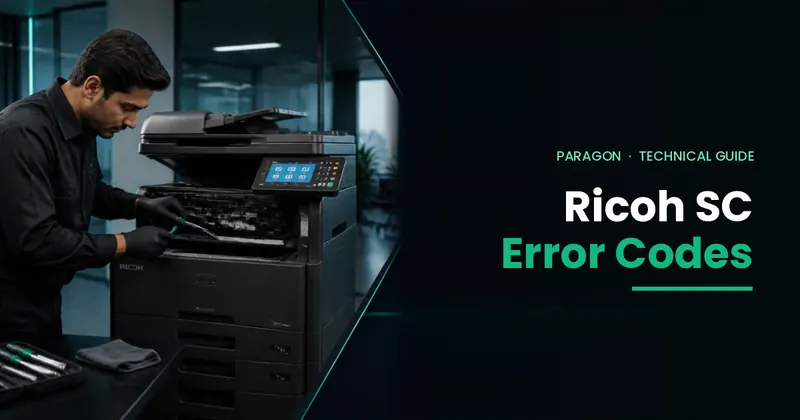
Short answer: on Ricoh photocopiers, error code SPDF-3 and SPDF-4 point to the document feeder's electrical protection circuits, not to a normal paper jam. In Ricoh's service code list they match SC702-03 (protection device intercept error 3 — the feeder's 5V sensor power line) and SC702-04 (protection device intercept error 4 — the SPDF motor and solenoid power line). The usual cause is a short circuit in a sensor, motor, solenoid or wiring harness, or a fault on the feeder board. Simply resetting the code does not fix it if the short is still there — the faulty part must be found and repaired or replaced.
This guide explains what each code means, which parts are involved, what you can safely check yourself, and how a technician traces the fault.
What is the SPDF on a Ricoh photocopier?
SPDF stands for Single-Pass Document Feeder. It is the automatic feeder on top of the machine that scans both sides of a page in one pass. Many Ricoh office models use it, including the MP 4054 / 5054 / 6054 and the SPDF versions of the MP 2555 / 3055 / 3555 / 4055 / 5055 / 6055. Older or smaller models use an ARDF (Automatic Reversing Document Feeder), which turns the page over to scan the second side.
SPDF-3 vs SPDF-4: what is the difference?
| SPDF-3 (SC702-03) | SPDF-4 (SC702-04) | |
|---|---|---|
| Name | Protection device intercept error 3 | Protection device intercept error 4 |
| Circuit | Document feeder 5V sensor power supply | SPDF non-interlocking power supply (motors and solenoid) |
| Typical causes | Defective original set sensor, short in sensor wiring, short on the 5V line, feeder board / protection circuit fault | Shorted or overloaded pick-up roller lift motor, base plate lift motor, stamp solenoid or feeder fan motor; shorted harness; feeder board fault |
| Is it a paper jam? | No — electrical fault | No — electrical fault |
Error code SPDF-3 (SC702-03): causes and fix
The protection device has detected a fault on the document feeder's 5V sensor power supply. Common causes:
- Original set sensor (or another feeder sensor) defective
- Short circuit in the sensor wiring
- Short on the 5V supply line
- Fault on the document feeder control board or its protection circuit
How a technician fixes it:
- Check all feeder sensors and their connectors.
- Check the sensor harness for a short circuit.
- Check the 5V supply line.
- Check the fuse / protection circuit on the feeder board.
- Repair or replace the faulty sensor, harness or board, then test.
Error code SPDF-4 (SC702-04): causes and fix
This is a protection error on the SPDF's non-interlocking power supply, which feeds the feeder's motors and solenoid.
| Component | Possible fault |
|---|---|
| Pick-up roller lift motor | Motor short or overload |
| Base plate lift motor | Motor short or overload |
| Stamp solenoid | Coil short |
| Feeder fan motor | Motor short |
| Wiring harness | Short circuit |
How a technician fixes it:
- Disconnect and inspect all SPDF motor connectors.
- Check the coil resistance of each motor and the solenoid with a multimeter.
- Check the harness for a short circuit.
- Isolate the motors one by one to find the faulty part.
- Check the fuse and protection circuit on the feeder board.
- Replace the faulty motor, solenoid, harness or board, then test.
What can you check yourself?
These codes are electrical faults, so most of the work needs a trained technician. You can safely try the following first:
- Switch the machine off at the main power switch, wait one minute and switch it on again.
- Open the feeder cover and check that no torn paper, staple or clip is stuck inside.
- Make sure the feeder is fully closed and seated on the machine.
- If the code comes back, stop using the feeder, use the glass for copying and scanning, and call a technician.
Important: do not keep restarting the machine or resetting the code. If a motor or wire is shorted, the fault will return and can damage the feeder board.
Which Ricoh models show this error?
The SC702 error family appears on several generations of SPDF-equipped Ricoh machines, for example:
- Ricoh MP 2554 / 3054 / 3554 and MP 4054 / 5054 / 6054
- Ricoh MP 2555 / 3055 / 3555 / 4055 / 5055 / 6055 (SPDF versions)
- Ricoh MP C3003 / C3004 and selected IM C series models with an SPDF
The exact code and feeder parts differ by model, so the fault should always be checked against that machine's service information.
How a technician traces an SPDF-4 fault (step by step)
- Disconnect the document feeder from the machine and inspect the connectors.
- Check the wiring to the pick-up motor, base plate motor, stamp solenoid and fan.
- Use a multimeter to check for shorts and test each motor winding.
- Check the protection fuse and power output on the feeder board.
- Replace the faulty part and test the feeder with single-sided and double-sided originals.
For other Ricoh service codes, see our Ricoh SC error codes guide and Ricoh IM 550 SC error codes.
Need a technician for SPDF-3 or SPDF-4?
Paragon's technicians repair Ricoh document feeders every day — sensors, motors, harnesses and feeder boards — with genuine parts. For contract machines in cities with a Paragon hub, a technician usually reaches you in about 3 hours. See photocopier repair services, keep your machine covered with an annual maintenance contract, or order parts and toner.
Frequently Asked Questions
What does error code SPDF-3 mean on a Ricoh copier?
SPDF-3 matches Ricoh service code SC702-03, protection device intercept error 3. The document feeder's 5V sensor power line has a fault, usually a defective sensor, a shorted sensor wire, a short on the 5V line or a feeder board fault.
What does error code SPDF-4 mean on a Ricoh copier?
SPDF-4 matches Ricoh service code SC702-04, protection device intercept error 4. The SPDF motor and solenoid power line has a fault, usually a shorted pick-up roller lift motor, base plate lift motor, stamp solenoid, fan motor or wiring harness.
Is SPDF-3 or SPDF-4 a paper jam?
No. Both are electrical protection errors in the document feeder, not paper jams. Clearing paper will not fix them if a part or wire is shorted.
Can I fix SPDF-4 by resetting the SC code?
Resetting the code only clears the message. If a motor, solenoid or harness is shorted, the error will come back. The faulty part must be found with a multimeter and repaired or replaced.
Can I still use the photocopier with an SPDF error?
Usually you can still copy and scan from the glass while the document feeder is out of use. Call a technician rather than repeatedly restarting the machine.
Do you repair Ricoh document feeders outside Karachi?
Yes. Paragon Copier Solution repairs Ricoh copiers and document feeders across Pakistan from 20+ service hubs, including Lahore, Islamabad, Rawalpindi, Faisalabad, Multan, Hyderabad, Peshawar and Quetta.