Photocopier Paper Jam: How to Clear It and Stop It Coming Back
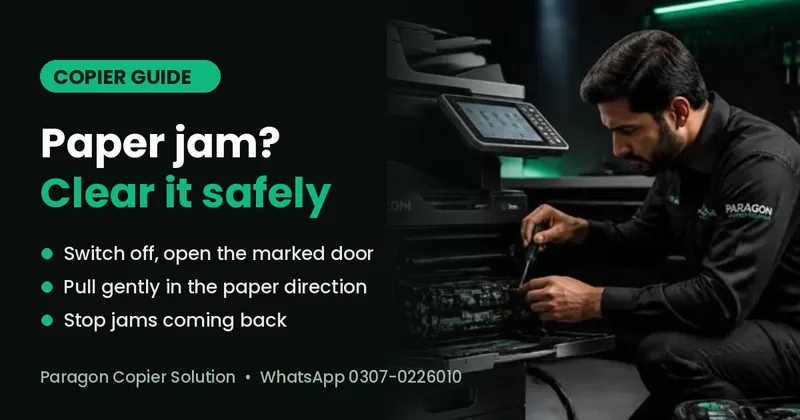
Short answer: switch the copier off, open only the door the screen shows, and pull the paper out slowly in the direction it travels, with both hands. Check that no torn pieces are left, close every door and switch on. If the same jam keeps coming back, the cause is usually damp or curled paper, a wrong paper-size setting or worn feed rollers — worn rollers should be replaced by a technician.
This guide works for Ricoh, Kyocera and Konica Minolta office copiers. It shows how to clear a jam without damaging the machine, why jams keep returning and when it is time to call a technician.
What is a paper jam (misfeed)?
A paper jam — also called a misfeed — happens when a sheet stops somewhere on its path through the copier: in the tray, the feed area, the fuser or the exit. The machine stops at once to protect itself and shows on the screen where the paper is stuck, usually with a letter, a number or a small picture of the door to open.
How do I clear a paper jam safely?
- Read the screen first. Note the jam location the copier shows. Most Ricoh, Kyocera and Konica Minolta machines show which door or tray to open, and many play a short animation.
- Switch off and wait. Turn the copier off with the main power switch and give it a few minutes before reaching inside — the fuser area gets very hot.
- Open only the marked door or tray. Opening every panel can move the sheet further in.
- Pull slowly, in the paper's direction. Hold the sheet with both hands and pull gently along the path it was moving. Never pull backwards against the rollers, and never use scissors, knives or pens.
- Check for torn pieces. If the sheet tore, find the missing corner. A small piece left inside is the most common reason the jam message stays on.
- Close everything and restart. Shut all doors and trays firmly and switch on. If the message is still there, the sensor still sees paper — check the same area again or call a technician.
Why does my photocopier keep jamming?
One jam now and then is normal. Jams every day point to a cause that needs fixing:
| Cause | What you notice | What to do |
|---|---|---|
| Damp or curled paper | Jams soon after loading a new ream; paper looks wavy | Keep reams sealed and off the floor; load fresh paper; fan the stack before loading |
| Wrong paper size or type setting | Jams only from one tray | Match the tray guides and the size/type setting on the screen to the paper in the tray |
| Overfilled tray | Several sheets feed together | Keep the stack below the max line |
| Low-quality or recycled paper | Paper dust, frequent jams in the feed area | Use 70–80 gsm office paper of a consistent brand |
| Worn or dirty feed rollers | Jams at the tray even with good paper | A technician cleans or replaces the pick-up, feed and separation rollers |
| Fuser or exit problem | Paper stuck near the back or exit, often creased or wrapped | Do not keep forcing it — call a technician; the fuser may need service |
| Torn piece left inside | Jam message returns straight after clearing | Find and remove the small piece, or ask a technician |
What if the jam is in the document feeder?
If originals jam in the feeder on top, open the feeder cover and lift the page out. Remove staples and paper clips before scanning, do not feed torn, folded or very thin originals, and keep the stack below the feeder's limit. Repeated feeder jams usually mean the feeder rollers need cleaning.
What should I never do when clearing a jam?
- Never pull paper hard or backwards against the rollers.
- Never use sharp tools, or spray liquids inside the machine.
- Never touch the fuser while it is hot.
- Never keep restarting a machine that jams at the same spot every time — small faults get worse and more costly.
When should I call a technician?
Call a technician if the same jam comes back several times a day, paper wraps around the fuser, you hear grinding or clicking, the jam message stays after the path is clear, or the screen shows a service code instead of a jam message (see our Ricoh SC error codes guide).
Paragon Copier Solution repairs Ricoh, Kyocera and Konica Minolta copiers at your office. In Karachi and other cities with a Paragon service hub, a technician usually reaches you in about 3 hours. On a maintenance contract (AMC), rollers are checked and cleaned on planned visits, so jams are caught before they stop your work. Need a part? See photocopier parts and toner.
Frequently Asked Questions
How do I fix a paper jam in a photocopier?
Switch the copier off and let it cool. Open only the door the screen shows, pull the paper out slowly in the direction it travels, check for torn pieces, close all doors and switch on again.
Why does my copier say paper jam when there is no paper?
Usually a small torn piece is still inside, or a door is not fully closed. Sometimes a dirty or faulty paper sensor causes it. If you cannot find any paper, ask a technician to check the sensors.
Why does my photocopier keep jamming?
The most common causes are damp or curled paper, a paper-size setting that does not match the tray, an overfilled tray and worn feed rollers. Fix the paper first; if jams continue, the rollers need cleaning or replacement.
Can a paper jam damage the copier?
Pulling paper hard, using sharp tools or forcing a jam at the fuser can damage rollers, sensors or the fuser. Clear jams gently and call a technician when the same jam keeps returning.
Which paper is best to avoid jams?
Use good-quality 70–80 gsm A4 or legal office paper from a sealed ream, stored flat and dry. Avoid very thin, recycled or damp paper.
Do you repair copiers outside Karachi?
Yes. Paragon Copier Solution has 20+ service hubs across Pakistan and repairs Ricoh, Kyocera and Konica Minolta copiers for offices in all major cities.